





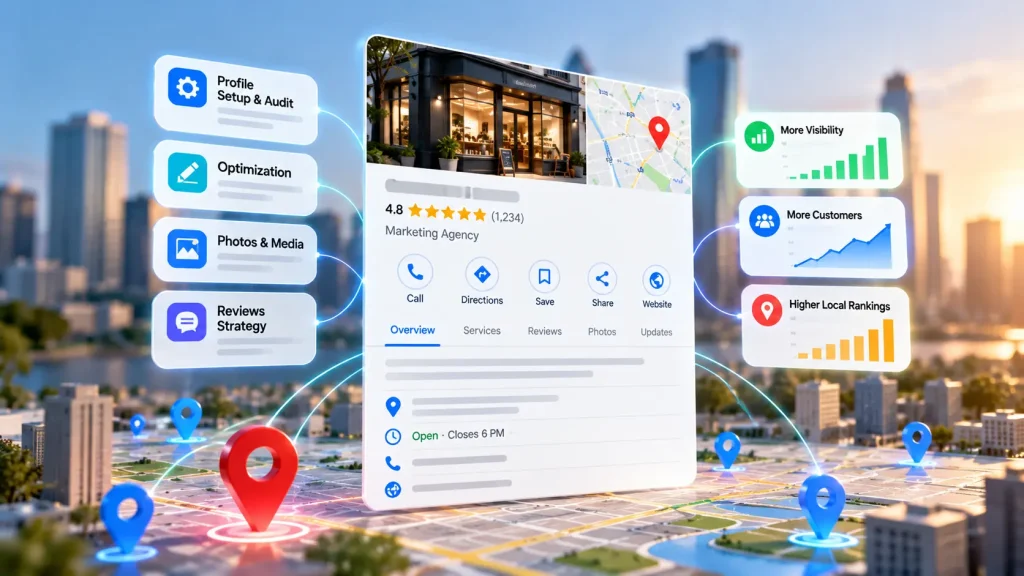
Google Business Profile is important for companies that appear in search results when people are looking for things in their area. A strong Google Business Profile gives customers details such as the hours the place is open, the phone number, the services offered photos, reviews from customers and directions to the location. This information can influence whether someone calls, asks for a price, books a time or comes into the store.
For marketing companies that handle Google Business Profiles it can become an ongoing service but it also needs regular work. Agencies need to check company details, pick the categories, keep the profile correct, handle review processes, post updates that have been approved, watch how things are going and fix issues when they happen. Doing all of this for clients can create a lot of stress for the agency’s own team.
Label Google Business Profile optimization gives agencies a smart way to offer this service without having to build their own team. They work with a specialist provider who does the work behind the scenes. That way the agency can deliver the service under its name and brand keeping things simple and cost-effective.
Just outsourcing the tasks isn’t enough to make it profitable. Agencies need a process in place. This includes steps for what gets done defined deliverables, proper access controls, regular quality checks and clear reporting for clients. Without these the service can fall apart.
With this tutorial, you will be guided in steps on how to create the service. The tutorial will teach you how to create a workflow that will ensure your customers stay satisfied and your firm grows progressively.
What Is White Label Google Business Profile Optimization?
White label Google Business Profile optimization is a service arrangement. In this arrangement a specialist provider works to improve or manage a client’s Google Business Profile for a marketing agency. The marketing firm under whose brand name the service is sold retains the relationship with the client and gets the deliverable from the specialist company.
Google Business Profile is a tool that helps businesses that have been checked by Google to control their business listings on Google Search and Google Maps. Businesses can add pictures, share updates, answer reviews. Show their services. Find out more about Google Business Profile.
How Does the White Label Model Work?
The arrangement typically involves three parties:
- The digital marketing agency: The digital marketing agency searches for clients, sets the service package, manages what is expected and shows results.
- The white label provider: The white label provider does the agreed optimization, management, monitoring and reporting tasks.
- The end client: The end client provides business info, gives proper access, approves sensitive changes, and backs the campaign with relevant info.
For example, a web design agency might work with clients who rely on local searches to get new business. By having one of their own staff handle every single local profile, the agency can hand over the routine tasks. This way, they can still offer SEO services as part of their package.
Still, the agency must stay involved. They need to check the quality of the work and keep communication clear. Outsourcing the day-to-day tasks doesn’t let them off the hook. They are still responsible to their clients.
What Does White Label Google Business Profile Optimization Include?
A complete service should do more than simply fill out profile information. The deliverables must cover profile accuracy, relevance, customer engagement, policy compliance and ongoing performance. The exact scope will be set by the client’s business model and the client’s needs.
1. Initial Profile Audit
The service provider looks at the profile to find things that are not completely wrong, things that are missing copies of the same listing and places where it can be better. The check should also create a starting point to measure how well things do in the future.
Common results are a report about the check, a list of things to change, a look at how to complete the profile’s plan, with the most important things to do first.
2. Business Information and Category Optimization
Keeping business information correct helps customers understand what the business does and how to contact the business. Providers check the business name the business address or the area where the business service is offered. They verify the phone number and the website. They also look at the hours when the business is open and the hours when the business is closed. They note holidays and other important details.
Selecting the categories must be done with care because the categories should describe what the business does, of trying to include every possible word that might be searched for. Google suggests that businesses should show themselves correctly, use location details, and choose the smallest number of categories needed to explain their main business. Look at the Google Business Profile guidelines.
The things that might be delivered could be a business-information sheet that has been checked and confirmed, suggestions, for categories any changes that have been fixed and a list of changes that have been approved.
3. Services Products and Business Description
Where it is possible and appropriate the provider looks at the service or product information and business description in the profile to make sure that customers can easily understand what is being offered. Descriptions need to be clear, factual and helpful for having too many repeated words or making claims that are not supported.
Deliverables may involve changing descriptions changing service listings updating product information and suggestions for keeping the profile in line, with the clients website.
4. Photos and Visual Content
Photos help customers see what a business looks like before they call or come by. The provider can review approved photos, spot ones, upload new images and give ideas to improve quality and variety.
Deliverables may contain a photo audit, a schedule that tells when to upload images, a set of approved image files, and a log that records what has been posted. Businesses should share photos that truly show the place of Businesses, the people of Businesses, the products of Businesses or the services of the business. Photos should be clear and honest. Authentic visuals build trust. They give a sense of the business.
5. Google Posts and Profile Updates
Profiles that qualify can help share posts that talk about business news, offers, events and other useful information. Google Posts will help keep customers updated. A continuous service may cover planning of content writing, copy preparation, getting approval and putting the posts online. What will be delivered might include a calendar for each month’s copy that has been approved, graphics if those are part of the plan, and a log of when posts were published. The number of posts each month should match the client’s needs and the package that was agreed upon, not a promise of higher rankings.
6. Review Monitoring and Response Support
Reviews can shape how customers feel about a business and offer information about the company. A service provider can check for reviews write replies in the style that the client wants mark any serious problems and help create a way to deal with customer comments.
Deliverables might be a record of reviews that were watched, sample replies, a list of issues that needed to be handled and a summary of how the business was seen each month.
Firms must not use reviews rewards that break the rules of the website or ways of asking for reviews that only get good comments. Replies need to be correct, polite and must not share any details about the customer.
7. Performance Tracking and Reporting
Reports should clearly explain what was completed and how customers interacted with the profile. Based on the data, reports can include details on profile views, search terms used calls made, website clicks, direction requests and any other supported interactions.
Deliverables must include a report, a comparison against the agreed baseline, a summary of work completed and recommendations, for the next reporting period.
Profile activity does not equal revenue. Agencies should link profile metrics to website analytics call tracking booking data or CRM records when those systems are properly set up. This connection helps provide a picture of real impact.
How Does the White Label Google Business Profile Optimization Process Work?
A process that can be done again and again helps reduce mistakes, makes it easier to handle orders and gives agencies a way to work with many client accounts. Every step should have a person in charge of clear things to start with a way to get approval and a way to show the work is done.
Step 1: Client Onboarding and Information Collection
In Client Onboarding the agency gathers the client’s business details the areas the client serves the times the client opens the client website, the services the client offers how the client prefers to communicate and the client marketing goals. The process of Information Collection is done carefully to understand the client’s needs and to set marketing goals. It also checks how locations they have if they already have a profile and any problems that might affect the work.
Deliverable: A completed onboarding. Approved business-information record.
Step 2: Access and Profile Verification
We confirm that the client owns or manages the account and we set up access for the team members who will do the work. We do not share passwords. Instead we give access through Google’s permission system. This keeps things secure.
We then check the profile. We look to see if it is verified. We check that the business is eligible. We also look for any access restrictions or unresolved problems.
Deliverable: An access checklist, a profile-status record and a list of issues that need attention.
Step 3: Audit and Optimization Planning
The provider looks over the profile. Spots missing or wrong details. The provider checks the categories and services. Reviews the performance data that is available. The findings will be prioritized in terms of their importance and priority and classified either as must-do or nice-to-do findings.
The deliverables include: Baseline Audit, Recommendation for Action, and Schedule for Optimization amongst others.
Step 4: Implementation & Quality Assurance
We will apply the approved changes to the profile adding the business information, categories, services, photos and content. Next we will run a quality check to confirm that every published detail matches the client’s business information. Finally we will ensure that all changes follow the platform rules.
If any change could affect eligibility, business identity or the expectations of customers we will give it a review, before implementation.
Deliverable: an optimization checklist, an implementation log and a record of any items.
Step 5: Ongoing Profile Management
Once the initial optimization is complete the provider continues to perform the tasks that’re part of the contract. The provider publishes updates that have been approved, reviews feedback checks that business information is still accurate, uploads fresh photos and finds any changes that need the client’s attention.
Deliverable: A monthly activity log, a review‑monitoring summary and a list of issues.
Step 6: Reporting and Next‑Step Recommendations
The provider gathers all performance data, writes a summary of completed tasks and spots opportunities, for the period. The agency makes an assessment of the document prior to submitting it to the client to ensure that the findings are clearly stated and the restrictions are known.
Delivery: A client-ready report, a performance analysis and a priority plan of action.
How ALM Corp Helps Agencies With White Label Google Business Profile Optimization
ALM Corp helps digital marketing agencies expand their local SEO offerings through white label support for Google Business Profile setup, optimization, and ongoing management. Our services can include business information updates, category and service optimization, photos, profile content, review-related support, and performance reporting, depending on the agreed scope. We work behind the scenes so agencies can offer local search services under their own brand without building a dedicated fulfillment team. Whether you are onboarding your first local client or managing multiple business locations, our white label local SEO services can support a more structured delivery process. Explore our White Label Local SEO Services to learn more.
